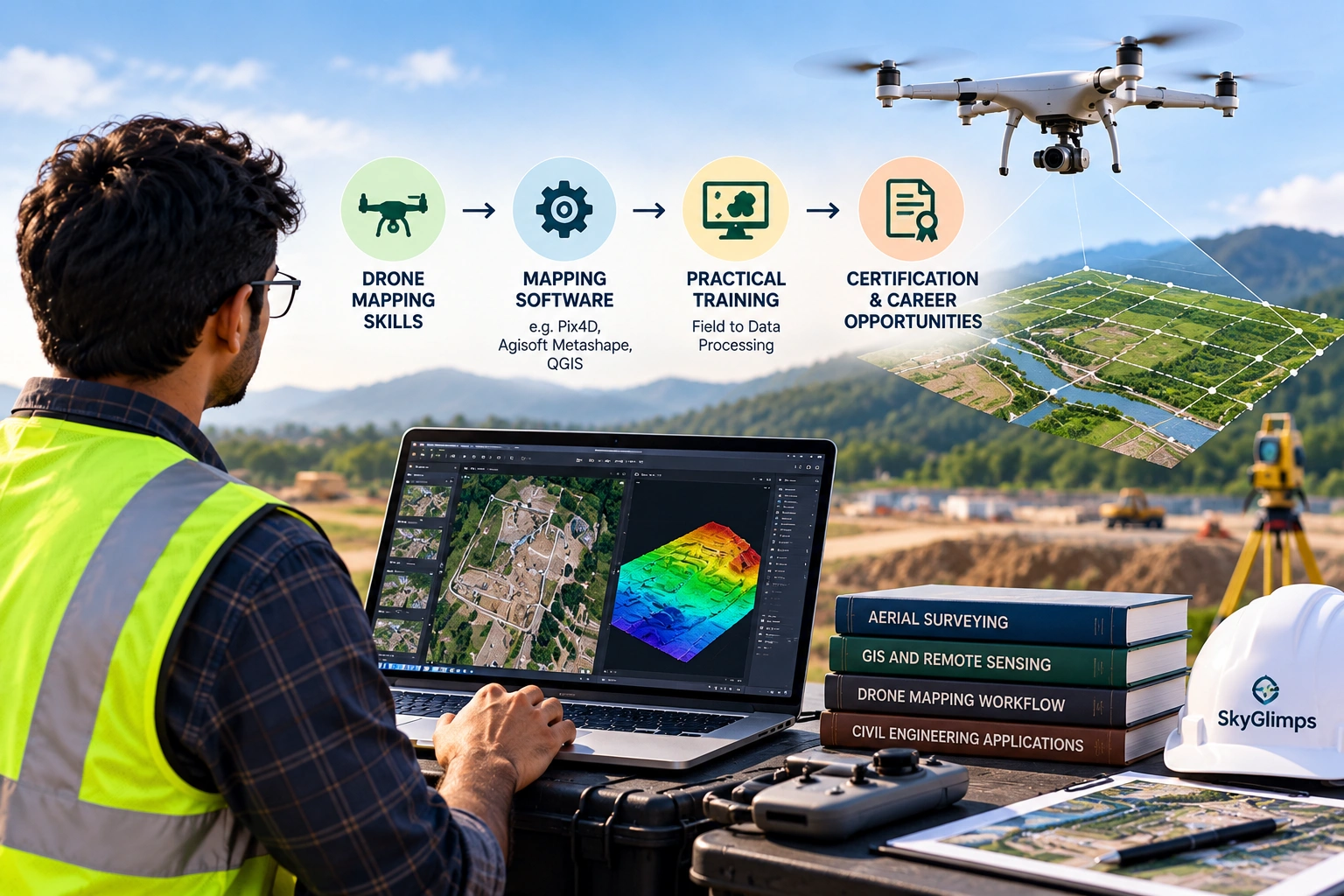

Drone contour mapping helps project teams understand ground levels, slopes, drainage patterns, embankments, excavation areas, road corridors, canal banks, and site terrain with better visual clarity. A contour map converts elevation data into lines that connect points of equal height, making it easier to read the shape of land on a 2D plan.
For construction, mining, real estate, roads, canals, irrigation, urban planning, and infrastructure projects, contour maps are not just technical drawings. They help engineers, planners, contractors, and decision-makers understand how the land rises, falls, drains, and changes across a site.
This guide explains how drone aerial data becomes contour maps, what inputs are required, what affects quality, and what clients should define before starting a drone mapping project.
What is drone contour mapping?
Drone contour mapping is the process of capturing aerial data with a drone and converting elevation information into contour lines that represent terrain levels. These contour lines help project teams understand the height and slope of the ground across a site.
A drone contour mapping workflow usually includes:
- Site boundary planning
- Drone flight planning
- Aerial image or LiDAR data capture
- Ground control or positioning workflow
- Photogrammetry or LiDAR processing
- DEM, DSM, or DTM generation
- Contour line extraction
- GIS or CAD export
- Final map and report delivery
Skyglimps Technologies LLP provides 2D Surveying & Mapping for organisations that need aerial maps, site documentation, orthomosaic outputs, and survey-ready visual data for professional projects.
What is a contour map?
A contour map is a map that uses lines to show elevation changes across land. Each contour line connects points that have the same elevation, helping users understand slopes, ridges, depressions, embankments, and drainage direction.
Contour maps are useful because they convert complex terrain into readable lines. Instead of looking only at photographs, project teams can see how the land surface changes.
Contour maps help identify:
- High and low areas
- Natural slopes
- Drainage direction
- Embankments
- Cut and fill zones
- Road gradients
- Canal banks
- Excavation areas
- Stockpile surfaces
- Flood-prone zones
- Land development constraints
The closer contour lines are to each other, the steeper the slope usually is. Wider spacing usually indicates flatter terrain.
How does drone data become contour maps?
Drone data becomes contour maps by first creating an elevation model and then generating contour lines from that model. The drone does not directly capture contour lines. It captures images or sensor data that are processed into terrain outputs.
A typical workflow looks like this:
- Define the survey area.
- Plan the flight altitude, overlap, and route.
- Capture overlapping drone images or LiDAR data.
- Use GCP, RTK, or PPK positioning where required.
- Process the data into a point cloud.
- Generate a DEM, DSM, or DTM.
- Select the contour interval.
- Extract contour lines from the elevation model.
- Clean and review the contour output.
- Export files for GIS, CAD, or reporting.
The quality of the final contour map depends on every step, from flight planning to processing and validation.
What is the role of DEM, DSM, and DTM in contour mapping?
DEM, DSM, and DTM are elevation models used to generate contour maps, but they do not always represent the same surface. Choosing the correct model is essential for useful contour output.
| Output | What it represents | Use in contour mapping |
|---|---|---|
| DEM | General elevation model; meaning should be defined | Used for elevation and terrain analysis |
| DSM | Visible surface including buildings, trees, objects, and ground | Useful for surface-level review |
| DTM | Bare-earth terrain after above-ground objects are removed | Best for ground-level contour mapping |
For many planning and engineering use cases, a DTM is more useful because it represents the ground surface. A DSM may include trees, buildings, stockpiles, equipment, and other objects, which can create contour lines that do not represent bare ground.
Clients should clearly define whether they need contours from a DSM, DTM, or another processed terrain model.
Why are GCP, RTK, and PPK important for contour mapping?
GCP, RTK, and PPK are important because contour maps depend on correctly positioned horizontal and vertical data. If the elevation model is poorly georeferenced, the contour lines may not align properly with project coordinates.
A simple comparison:
| Method | Role in contour mapping |
|---|---|
| GCP | Uses measured ground points to control and align the model |
| RTK | Improves drone positioning during the flight |
| PPK | Improves drone positioning after the flight during processing |
| Checkpoints | Independently test final accuracy and contour reliability |
Ground Control Points are especially useful when the contour map will support measurement, engineering coordination, drainage planning, cut-fill analysis, or formal project reporting.
RTK and PPK can reduce field effort, but checkpoints are still important when accuracy matters.
What is a contour interval?
A contour interval is the vertical height difference between two contour lines. For example, if the contour interval is 0.5 metre, each line represents a change of 0.5 metre in elevation.
Contour interval affects how detailed the map looks. A smaller interval shows more elevation detail, while a larger interval shows a more general terrain pattern.
| Contour interval | Best suited for |
|---|---|
| Smaller interval | Detailed site planning and subtle terrain changes |
| Moderate interval | General construction, land, and drainage review |
| Larger interval | Broad terrain understanding over larger areas |
The contour interval should match the site condition, project objective, accuracy requirement, and elevation model quality. Using very small contour intervals on weak or noisy data can create misleading maps.
How does flight planning affect drone contour mapping?
Flight planning affects drone contour mapping because the elevation model depends on complete, sharp, overlapping, and well-positioned drone data. Poor flight planning can produce weak contours even if the drone camera is good.
Flight planning should consider:
- Site boundary
- Flight altitude
- Ground sampling distance
- Image overlap
- Terrain variation
- Flight direction
- Weather window
- Take-off and landing location
- Battery plan
- Obstacle height
- Data storage
- Safety restrictions
For terrain-heavy projects, the drone team may need terrain-following flight planning to maintain more consistent image detail across uneven ground. For roads, canals, pipelines, and corridors, the flight plan must cover the full stretch and enough surrounding land context.
How does image overlap affect contour quality?
Image overlap affects contour quality because photogrammetry software needs repeated views of the same ground features to reconstruct terrain and generate elevation models. Without enough overlap, the final model may have gaps, distortion, or weak geometry.
Poor overlap can affect:
- Point cloud density
- DEM or DSM quality
- Surface reconstruction
- Contour smoothness
- Drainage interpretation
- Cross-section accuracy
- Volume calculation confidence
- Overall mapping reliability
Complex terrain, vegetation, water, shadows, low-texture surfaces, and built-up areas may need stronger flight planning and quality checks.
How do terrain and vegetation affect contour mapping?
Terrain and vegetation affect contour mapping because the drone must capture the surface that the project needs to represent. If vegetation, buildings, vehicles, or equipment hide the ground, the elevation model may represent the visible surface instead of bare earth.
Challenging conditions include:
- Dense vegetation
- Tall grass
- Trees
- Buildings
- Stockpiles
- Water bodies
- Embankments
- Quarry benches
- Construction equipment
- Low-texture ground
- Steep slopes
- Shadowed areas
For vegetation-heavy sites, drone photogrammetry may not always capture bare ground clearly. In such cases, LiDAR or additional ground survey support may be more suitable depending on the project requirement.
For terrain-heavy and 3D workflows, Skyglimps also provides 3D LiDAR & GIS Solutions for point clouds, elevation models, terrain layers, and GIS-ready outputs.
How are contour maps used in construction projects?
Construction teams use drone contour maps to understand site levels, slopes, drainage, excavation progress, grading requirements, and earthwork conditions. This helps improve planning and progress review.
Construction use cases include:
- Site grading review
- Drainage planning
- Road and access planning
- Excavation tracking
- Cut-fill analysis
- Embankment review
- Foundation area planning
- Contractor progress documentation
- Stage-wise project comparison
A contour map helps the project team see whether the site surface matches the planned development direction. It can also support discussions between contractors, consultants, engineers, and management teams.
How are contour maps used in road and canal projects?
Road and canal projects use drone contour maps to understand alignment, slope, embankments, drainage, and terrain changes along a corridor. These projects often need elevation data across long and narrow areas.
Contour maps can support:
- Road alignment review
- Canal bank mapping
- Embankment analysis
- Drainage channel visibility
- Slope assessment
- Cross-section planning
- Low-lying area identification
- Construction progress monitoring
- Maintenance planning
For corridors, the scope should define the mapping width, chainage limits, coordinate system, contour interval, and required file formats before fieldwork begins.
How are contour maps used in mining and quarry projects?
Mining and quarry teams use drone contour maps to understand surface changes, stockpile shapes, excavation levels, quarry benches, haul roads, and drainage conditions. These outputs can support operational review and quantity-related planning.
Drone contour mapping may help with:
- Stockpile surface understanding
- Quarry bench mapping
- Excavation progress
- Overburden zones
- Haul road gradients
- Cut-fill review
- Drainage and waterlogging review
- Repeat survey comparison
For volume-related work, contour maps are only one part of the process. The team should also define the surface model, base surface, boundary, accuracy workflow, and reporting assumptions.
How are contour maps used in real estate and land development?
Real estate and land development teams use drone contour maps to understand site slope, access, drainage, buildable areas, and land-shaping requirements. This helps during early planning and stakeholder review.
Contour maps can support:
- Site planning
- Access road planning
- Drainage direction review
- Plot development
- Earthwork understanding
- Layout coordination
- Low-area identification
- Project presentation
- Consultant discussions
Drone contour mapping gives developers a clearer view of site terrain before major planning or civil work decisions are made.
What deliverables should clients ask for?
Clients should ask for contour maps along with the supporting elevation model, orthomosaic, file formats, accuracy notes, and report explanation. A contour file alone may not be enough for technical use.
Common deliverables include:
| Deliverable | Why it matters |
|---|---|
| Orthomosaic map | Gives visual site context |
| DEM / DSM / DTM | Provides the elevation surface used for contours |
| Contour map | Shows elevation lines |
| CAD file | Helps engineers use contours in design workflows |
| GIS file | Helps GIS teams analyse spatial data |
| PDF report | Helps management review findings |
| Accuracy notes | Explains reliability and limitations |
| Checkpoint summary | Helps validate the output |
The client should also define contour interval, coordinate system, vertical reference, and required file formats before the project begins.
What file formats are used for drone contour mapping?
Drone contour mapping deliverables may be shared in GIS, CAD, raster, point cloud, or report formats depending on the project requirement. The correct format should be confirmed before processing.
Common file formats include:
- GeoTIFF for orthomosaics and elevation models
- SHP for GIS contour lines
- KML or KMZ for Google Earth viewing
- DXF or DWG for CAD workflows
- LAS or LAZ for point clouds
- CSV for coordinate or elevation tables
- PDF for client reports
A manager may only need a PDF report, but engineers may need DXF, DWG, SHP, or GeoTIFF files. File-format requirements should be part of the scope, not decided after delivery.
What mistakes should clients avoid in contour mapping?
Clients should avoid asking for contour maps without defining the elevation model, contour interval, accuracy requirement, coordinate system, and final use case. These details decide whether the output will be useful.
Common mistakes include:
- Asking only for “contours” without a project objective
- Not defining contour interval
- Not clarifying DEM, DSM, or DTM requirement
- Expecting bare-earth contours from dense vegetation without proper workflow
- Not using GCPs, RTK, PPK, or checkpoints when needed
- Not confirming coordinate system
- Not confirming CAD or GIS format
- Using contour maps for legal boundaries without proper verification
- Comparing contours from different survey methods without checking consistency
- Ignoring accuracy notes and limitations
A clear scope prevents most contour mapping issues.
How should clients brief a drone contour mapping project?
Clients should brief a drone contour mapping project by defining what decision the contour map must support. The survey team can then recommend the correct flight plan, elevation model, control workflow, contour interval, and deliverable format.
Before fieldwork, clients should define:
- Site location and boundary
- Project objective
- Required contour interval
- DEM, DSM, or DTM requirement
- Accuracy requirement
- GCP, RTK, PPK, or checkpoint needs
- Coordinate system
- Vertical reference
- Required file formats
- Site access plan
- Safety restrictions
- Delivery timeline
- Final users of the data
- Reporting expectations
The better the brief, the more useful the final contour map.
Why choose Skyglimps Technologies for drone contour mapping?
Skyglimps Technologies LLP is a Kolkata-based drone services company and DGCA-certified Remote Pilot Training Organisation serving government and enterprise clients across Eastern India. The company supports drone-enabled workflows across surveying, mapping, LiDAR, GIS, inspections, documentation, surveillance, and training.
Skyglimps Technologies, a DGCA-certified RPTO in Kolkata, is positioned for organisations that need aerial maps, contour maps, terrain outputs, GIS-ready data, CAD-ready files, elevation models, and professional survey deliverables.
For projects in Kolkata, West Bengal, Jharkhand, Odisha, and Eastern India, local coordination can help improve site scoping, field execution, flight planning, contour interval selection, elevation-model processing, GIS compatibility, and reporting clarity.
Drone contour mapping should be planned around the final project decision, not treated as a generic output.
FAQ: Drone Contour Mapping
Drone contour mapping is the process of using drone aerial data to create contour lines that show elevation changes, slopes, terrain shape, and ground levels across a site.
Drone images or LiDAR data are processed into an elevation model such as a DEM, DSM, or DTM. Contour lines are then generated from that model.
A contour interval is the vertical height difference between two contour lines. It controls how detailed or general the contour map appears.
Drone contour map accuracy depends on flight planning, image overlap, GCPs, RTK, PPK, checkpoints, sensor quality, terrain, processing, and validation workflow.
DTM is usually best for bare-earth contour maps. DSM is useful when the visible surface, including buildings, trees, or stockpiles, is important.
Yes. Drones can create contour maps for construction sites to support grading, drainage planning, excavation tracking, cut-fill review, and progress documentation.
Clients may ask for PDF reports, GeoTIFF elevation files, SHP contour layers, DXF or DWG CAD files, KML/KMZ files, and supporting orthomosaic maps.
Turn aerial data into usable terrain insight
Drone contour mapping helps project teams convert aerial data into practical terrain insight. Instead of viewing only site photographs, teams can understand slopes, elevations, drainage patterns, embankments, excavation surfaces, and landform changes through contour lines.
For construction, mining, roads, canals, real estate, irrigation, and infrastructure projects, contour maps can support planning, progress review, GIS workflows, CAD coordination, and reporting.
If your organisation needs contour maps, orthomosaic maps, DEMs, DSMs, DTMs, GIS-ready files, CAD-ready outputs, volume reports, or professional drone mapping in Kolkata, West Bengal, or Eastern India, connect with Skyglimps Technologies LLP through the 2D Surveying & Mapping service page and share your site location, contour interval requirement, project objective, accuracy needs, and required deliverables.